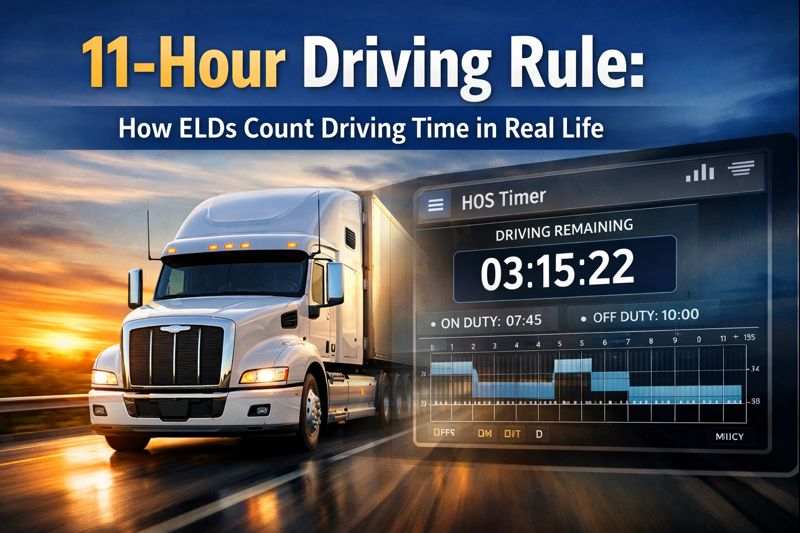
Understanding Hours of Service (HOS) regulations is critical for commercial drivers and fleet managers alike. One of the most important—and frequently misunderstood—rules is the 11-hour driving rule. With the mandatory use of Electronic Logging Devices (ELDs), compliance is no longer based on estimates or handwritten logs, but on precise, automated tracking.
In this article, we’ll explain how the 11 hour driving rule ELD systems work in real-life scenarios, how driving hours are calculated, and what drivers and fleets can do to stay compliant while maximizing productivity.
What Is the 11-Hour Driving Rule?
The 11-hour driving rule, established by the Federal Motor Carrier Safety Administration (FMCSA), states:
A property-carrying driver may drive a maximum of 11 hours after 10 consecutive hours off duty.
This rule is a core component of the HOS driving limit framework designed to reduce driver fatigue and improve road safety.
Once a driver reaches 11 hours of driving time, they must stop driving and take the required off-duty break before resuming.
How ELDs Enforce the 11-Hour Driving Rule
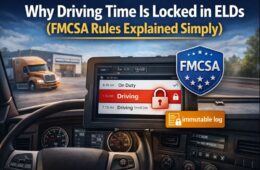
Unlike paper logs, ELDs automatically record driving activity by syncing with the vehicle’s engine. This ensures accuracy and prevents log manipulation.
Key Data ELDs Track:
- Engine power status
- Vehicle motion
- Miles driven
- Time spent driving vs. on-duty or off-duty
An ELD such as ELD Nexus continuously monitors this data to ensure real-time compliance with the 11 hour driving rule ELD requirements.
Real-Life Driving Hours Calculation Explained
One of the most common questions drivers ask is: “When exactly does my driving time start and stop?”
When Driving Time Starts
Driving time begins the moment:
- The engine is on and
- The vehicle exceeds the minimum motion threshold (typically 5 mph)
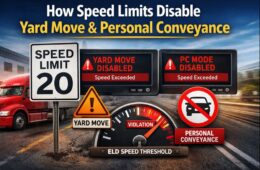
Even short movements—such as repositioning in a yard—can count toward your driving hours calculation unless properly annotated as yard move or personal conveyance (if allowed).
When Driving Time Stops
Driving time ends when:
- The vehicle comes to a complete stop and
- Remains stationary long enough for the ELD to switch status
ELDs like ELD Nexus automatically apply these status changes, minimizing human error.
Common Scenarios That Impact the 11-Hour Limit
1. Traffic Congestion
Time spent creeping forward in traffic still counts as driving time. ELDs do not distinguish between highway speeds and slow-moving traffic.
2. Split Sleeper Berth Usage
While the 11-hour limit remains unchanged, split sleeper berth provisions can affect when the driving window resets. ELDs calculate this automatically but drivers must understand the rule to use it correctly.
3. Yard Moves and Personal Conveyance
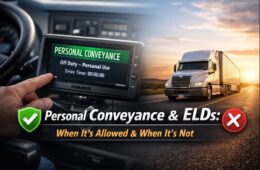
If configured properly, these modes can prevent unnecessary consumption of driving hours—but misuse can lead to violations during audits.
How ELD Nexus Helps Ensure Accurate Compliance
ELD Nexus is designed with compliance, transparency, and ease of use in mind. It helps drivers and fleet managers:
- Accurately track driving time in real time
- Receive alerts before reaching the HOS driving limit
- Avoid accidental violations caused by miscalculations
- Generate audit-ready reports for DOT inspections
By automating complex driving hours calculations, ELD Nexus supports both regulatory compliance and operational efficiency.
Why Accurate ELD Tracking Matters for Fleets
Failure to comply with the 11 hour driving rule ELD enforcement can result in:
- DOT violations
- Fines and penalties
- Lower CSA scores
- Increased insurance costs
- Out-of-service orders
Accurate ELD data protects drivers and fleets by providing verifiable records that stand up during roadside inspections and compliance reviews.
Best Practices to Stay Within the 11-Hour Driving Limit
- Always complete a full 10 consecutive hours off duty before driving
- Monitor remaining drive time throughout the shift
- Use yard move and personal conveyance features correctly
- Review logs daily for errors or unassigned driving time
- Rely on a trusted ELD provider like ELD Nexus
Final Thoughts
The 11-hour driving rule is straightforward in theory, but real-life application can be complex without the right tools. ELDs remove the guesswork by automatically tracking every minute of drive time, ensuring accurate driving hours calculation and strict adherence to the HOS driving limit.
With a reliable solution like ELD Nexus, drivers and fleets gain confidence, compliance, and control—helping them stay safe, efficient, and audit-ready in today’s highly regulated transportation environment.
Frequently Asked Questions (FAQs)
What is the 11 hour driving rule ELD requirement?
The 11 hour driving rule ELD requirement states that a property-carrying commercial driver may drive a maximum of 11 hours after completing 10 consecutive hours off duty. ELDs automatically track this driving time by recording engine and vehicle movement data, ensuring accurate compliance with FMCSA regulations.
How does an ELD calculate driving hours?
ELDs calculate driving hours based on engine power and vehicle motion. Driving time begins when the vehicle moves above a set speed threshold and stops when the vehicle is stationary. This automated driving hours calculation eliminates manual errors and ensures precise logging.
Does traffic or slow driving count toward the 11-hour limit?
Yes. Time spent in traffic congestion, construction zones, or slow-moving conditions still counts toward the HOS driving limit. As long as the vehicle is moving, the ELD records it as driving time, regardless of speed.
Can yard moves affect my 11-hour driving time?
If properly enabled and used, yard move status allows drivers to move vehicles within a terminal or facility without consuming driving time. However, incorrect use or failure to switch modes can result in driving time being logged and may lead to violations during inspections.
What happens if I exceed the 11-hour driving limit?
Exceeding the 11 hour driving rule ELD limit results in an HOS violation. This can lead to:
DOT citations
Fines
Lower CSA scores
Out-of-service orders
ELDs like ELD Nexus provide real-time alerts to help drivers avoid unintentional violations.Does off-duty time pause the 11-hour clock?
No. Off-duty time does not pause the 11-hour driving limit. Once a driver starts their duty day, the 11 driving hours continue counting until exhausted. Only completing 10 consecutive hours off duty fully resets the limit.
How does split sleeper berth impact the 11-hour rule?
Split sleeper berth provisions can affect when a driver’s driving window resets, but the 11-hour driving limit itself does not change. ELDs automatically calculate qualifying splits, but drivers must follow the rules correctly to remain compliant.
Are ELD records accepted during DOT inspections?
Yes. ELD records are legally accepted and required during roadside inspections and audits. Systems like ELD Nexus generate inspection-ready logs that meet FMCSA technical standards and support compliance verification.
Can I edit driving time recorded by an ELD?
Drivers cannot edit driving time recorded by an ELD. This is an FMCSA requirement to prevent log manipulation. However, drivers can add annotations to explain unusual situations, which can be helpful during audits.
How does ELD Nexus help drivers stay compliant?
ELD Nexus helps drivers and fleets by:
Accurately tracking real-time driving hours
Providing alerts before reaching HOS limits
Reducing manual log errors
Generating audit-ready compliance reports
This ensures consistent adherence to the HOS driving limit and improves overall operational efficiency.