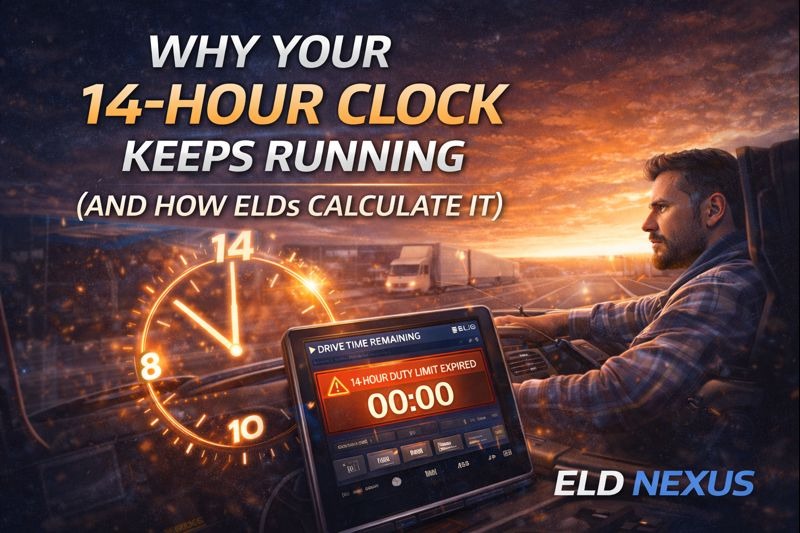
Many drivers ask the same frustrating question: “Why does my 14-hour clock keep running even when I stop driving?”
The answer lies in how the 14 hour rule ELD is defined and enforced under FMCSA regulations.
Understanding how Electronic Logging Devices (ELDs) calculate the HOS 14 hour clock is critical for staying compliant, planning loads efficiently, and avoiding costly violations. In this guide, we break down exactly how the rule works, why the clock never pauses, and how tools like ELD Nexus help fleets manage their duty window more effectively.
What Is the 14-Hour Rule in ELDs?
The 14 hour rule ELD refers to the FMCSA regulation that limits a driver’s on-duty window to 14 consecutive hours after coming on duty.
Once this duty window begins:
- The clock runs continuously
- It does not stop for breaks
- It does not pause for off-duty time
- It only resets after a qualifying rest period
This rule exists to prevent excessive workdays and ensure drivers get adequate rest.
Understanding the Duty Window in ELDs
The duty window ELD tracks is not based on driving time alone. It includes:
- On-duty (not driving)
- Driving time
- Short breaks taken during the shift
Even if you stop driving for several hours, the HOS 14 hour clock continues to count down.
Example:
- On duty at 6:00 AM
- Stop driving at 12:00 PM
- Take a 2-hour break
- Your 14-hour window still expires at 8:00 PM
This is why many drivers feel like they’re “losing time” even when they rest during the day.
Why the 14-Hour Clock Does Not Stop
The FMCSA designed this rule intentionally. The goal is to:
- Limit the total length of a workday
- Prevent long, fragmented shifts
- Reduce fatigue-related accidents
ELDs are required to automatically calculate this window, leaving no room for manual adjustment or interpretation.
How ELDs Calculate the 14-Hour Clock
An ELD calculates the 14 hour rule ELD using these steps:
- The clock starts the moment a driver selects On Duty
- The ELD tracks continuous elapsed time
- Breaks under 10 hours do not pause the clock
- The clock expires exactly 14 hours later
- Driving is blocked once the window ends
Solutions like ELD Nexus use engine data and timestamped events to ensure the calculation is accurate and audit-ready.
Common Mistakes That Lead to Violations
Many HOS violations occur due to misunderstandings of the rule:
- Assuming off-duty time pauses the clock
- Taking long mid-day breaks expecting extra driving time
- Misusing personal conveyance
- Failing to plan deliveries within the duty window
Because ELDs automate these calculations, errors often show up during roadside inspections.
Exceptions to the 14-Hour Rule
While the rule is strict, there are limited exceptions:
Short-Haul Exception
- Applies to qualifying short-haul drivers
- Allows extended on-duty time under specific conditions
Adverse Driving Conditions
- May extend driving time
- Does not extend the 14-hour window itself
ELDs like ELD Nexus automatically apply these exceptions when properly configured, reducing the risk of incorrect logs.
How ELD Nexus Helps Drivers Manage the 14-Hour Clock
ELD Nexus is designed to help fleets stay compliant and informed by:
- Displaying real-time duty window countdowns
- Sending alerts before the 14-hour clock expires
- Providing clear visual timelines
- Maintaining accurate, FMCSA-compliant records
By making the HOS 14 hour clock visible and predictable, drivers can plan stops and loads more efficiently.
Why Understanding This Rule Matters
Mismanaging the duty window ELD tracks can lead to:
- Roadside violations
- CSA score impacts
- Driver frustration
- Reduced productivity
Education is one of the most effective compliance tools—and understanding how ELDs calculate time is essential.
Final Thoughts
If your 14-hour clock feels unforgiving, it’s because it is designed to be. The 14 hour rule ELD enforces is strict by intention, prioritizing safety and fatigue prevention.
With the right knowledge—and the right ELD platform like ELD Nexus—drivers and fleets can stay compliant, avoid violations, and operate more efficiently.
Frequently Asked Questions (FAQs)
Why doesn’t the 14-hour clock stop when I take a break?
Because FMCSA rules require the duty window to run continuously once you go on duty.
Can off-duty time pause the HOS 14 hour clock?
No. Only a qualifying 10-hour off-duty period resets the clock.
How do ELDs know when my 14-hour window starts?
The clock starts automatically when you select On Duty in the ELD.
Does the 30-minute break extend the duty window?
No. It satisfies break requirements but does not pause the 14-hour clock.
How does ELD Nexus help with the 14-hour rule?
ELD Nexus provides real-time countdowns, alerts, and clear duty window visibility to help drivers stay compliant.