Few things frustrate drivers more than completing a full 34-hour break—only to discover their cycle hours didn’t reset. If you’ve ever wondered why your 34 hour reset is not working, you’re not alone. This is one of the most common Hours of Service (HOS) compliance issues drivers and fleet managers face.
In this article, we’ll break down how the HOS cycle reset actually works, the most common reasons a reset fails, and how ELDs like ELD Nexus track restart interruptions in real life.
What Is the 34-Hour Reset?
Under FMCSA regulations, drivers operating under the 60-hour (7-day) or 70-hour (8-day) rule may reset their available cycle hours by taking 34 consecutive hours off duty.
Once completed correctly, the driver’s cycle hours return to zero, allowing a fresh duty cycle to begin. This process is known as the HOS cycle reset.
However, the key word is consecutive—and this is where most problems occur.
Why Your 34 Hour Reset Is Not Working
If your ELD did not reset your cycle hours after 34 hours, it usually means the reset was interrupted, misclassified, or misunderstood.
1. Any On-Duty Time Breaks the Reset
Even one minute of on-duty time—driving or not driving—during the 34-hour period causes a restart interruption.
Examples include:
- Logging on-duty to move a truck
- Performing inspections
- Fueling
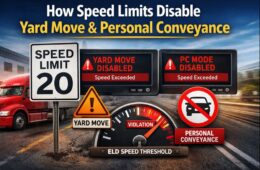
- Yard moves (if not properly configured)
If this happens, the 34-hour clock restarts from zero.
2. Personal Conveyance Was Used Incorrectly
Personal Conveyance (PC) is allowed only for personal use, not advancing the load or performing work.
If PC is used incorrectly, enforcement officers may reclassify that time as on-duty, which invalidates the reset—even if the ELD initially allowed it.
3. Sleeper Berth Time Was Not Logged Properly
Sleeper berth time counts toward the 34-hour reset only if:
- It is logged correctly
- It is uninterrupted by on-duty activity
Incorrect status changes or manual edits can prevent the HOS cycle reset from completing.
4. You Didn’t Actually Reach 34 Consecutive Hours
Many drivers assume the reset starts when they go off duty, but:
- The reset begins only after the last on-duty event
- Any status change before 34 full hours resets the timer
ELDs calculate this precisely—there’s no rounding or grace period.
How ELDs Track Restart Interruptions
ELDs automatically track:
- Duty status changes
- Time stamps
- Engine activity
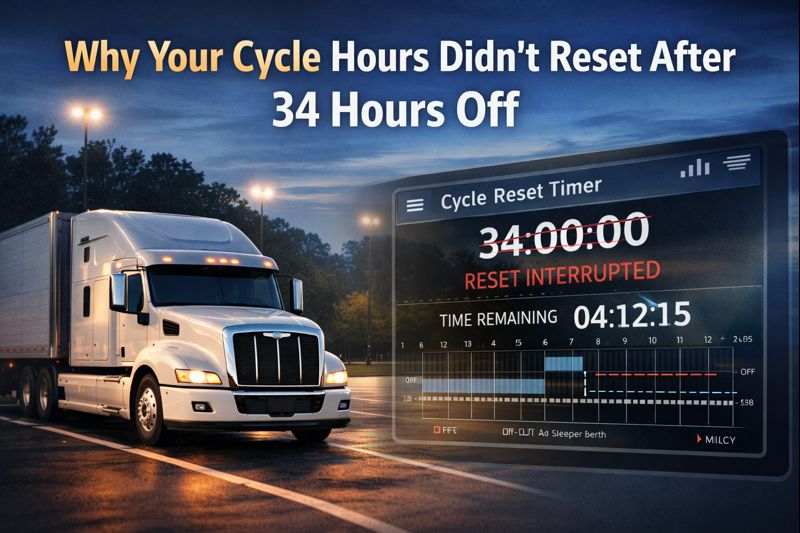
Systems like ELD Nexus continuously monitor for restart interruption events. If any non-qualifying status appears during the reset window, the system cancels the reset and requires a new 34-hour off-duty period.
This automated enforcement prevents log manipulation but can surprise drivers who aren’t aware of how strict the rule is.
Common Misconceptions About the 34-Hour Reset
“Off-duty and sleeper berth can’t be mixed”
False. You can combine off-duty and sleeper berth time—as long as there is no on-duty time.
“ELDs sometimes glitch and don’t reset”
Rare. In most cases, the ELD is functioning correctly and detected an interruption.
“Yard moves don’t affect resets”
False. Yard moves are still on-duty time and will break a reset.
How ELD Nexus Helps Prevent Reset Issues
ELD Nexus is built to provide clarity and compliance by:
- Clearly displaying reset progress in real time
- Alerting drivers if a restart interruption occurs
- Logging duty status changes with audit-level accuracy
- Helping fleets review reset failures before inspections
This transparency helps drivers understand why their 34 hour reset is not working, rather than discovering the issue during a roadside inspection.
Best Practices to Ensure a Successful 34-Hour Reset
- Avoid all on-duty activity during the reset
- Double-check duty status before moving the vehicle
- Use personal conveyance only when legally permitted
- Monitor reset countdown in your ELD
- Review logs daily for unintended status changes
Final Thoughts
When a 34 hour reset is not working, it’s rarely a system error—it’s almost always due to a restart interruption caused by on-duty activity, improper status use, or logging mistakes.
Understanding how the HOS cycle reset works and using a reliable system like ELD Nexus can eliminate confusion, protect compliance, and ensure your cycle hours reset exactly when they should.
Staying informed isn’t just good practice—it’s essential for avoiding violations, fines, and downtime.
Frequently Asked Questions (FAQs)
Why is my 34 hour reset not working even after taking time off?
If your 34 hour reset is not working, it usually means the off-duty period was interrupted. Any on-duty activity—driving, yard moves, inspections, or even a short status change—resets the 34-hour clock.
What qualifies as a valid HOS cycle reset?
A valid HOS cycle reset requires 34 consecutive hours logged as:
Off duty
Sleeper berth
Or a combination of both
There must be zero on-duty time during this period.Does yard move break a 34-hour reset?
Yes. Yard moves are still classified as on-duty time. If a yard move occurs during the reset window, it causes a restart interruption, and the 34-hour count starts over.
Can personal conveyance interrupt a 34-hour reset?
It can. If personal conveyance is used incorrectly—such as advancing a load or performing work—it may be reclassified as on-duty time during an audit, invalidating the reset.
Does sleeper berth time count toward the 34-hour reset?
Yes. Sleeper berth time fully counts toward the reset as long as it is:
Logged correctly
Not interrupted by on-duty activity
Incorrect status changes are a common reason a 34 hour reset is not working.Can I mix off-duty and sleeper berth time?
Yes. You can combine both statuses to complete the reset. The only rule is that the 34 hours must be continuous and uninterrupted.
How do ELDs detect restart interruption?
ELDs automatically track:
Duty status changes
Engine activity
Time stamps
If any on-duty status appears, the ELD records a restart interruption and cancels the reset.Can I manually force a reset in my ELD?
No. FMCSA regulations prohibit manually forcing or editing a cycle reset. The reset occurs only when the system verifies 34 uninterrupted off-duty hours.
How does ELD Nexus help with 34-hour reset compliance?
ELD Nexus helps drivers and fleets by:
Displaying reset progress in real time
Alerting users to interruptions
Preventing accidental status changes
Providing audit-ready HOS records
This reduces confusion and ensures proper HOS cycle reset compliance.What’s the best way to avoid reset issues?
Avoid all on-duty activity during the reset
Double-check duty status before moving the vehicle
Use personal conveyance cautiously
Review logs daily in ELD Nexus