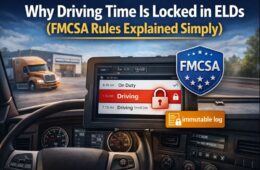
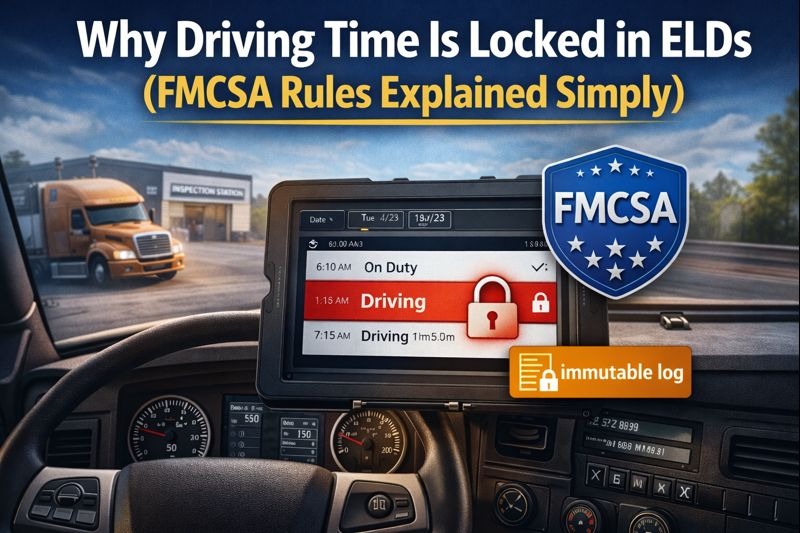
Electronic Logging Devices (ELDs) ensure accurate and tamper-resistant recording of Hours-of-Service (HOS) data. One of the most critical—and often misunderstood—features of ELDs is that they lock driving time and prevent drivers from editing it.
This restriction is not a software limitation imposed by ELD providers. It is a direct requirement of FMCSA ELD regulations, intended to eliminate falsified records, improve compliance consistency, and enhance roadway safety.
This article explains why driving time is locked in ELDs, how immutable logs function under FMCSA rules, and how compliant systems such as ELD Nexus implement these requirements.
What Does “Driving Time Locked” Mean in an ELD?
When an ELD records a driver’s status as Driving, that time becomes non-editable. Once vehicle motion is detected and logged, the driving segment is permanently recorded and protected from deletion or reduction.
In practice, this means:
- Drivers cannot erase or shorten driving time.
- Drivers cannot convert driving status to off-duty or sleeper berth.
- Drivers may only add annotations or accept compliant carrier-proposed edits.
This design ensures the integrity of the HOS record.
FMCSA Requirements Behind Locked Driving Time
Under 49 CFR Part 395, FMCSA mandates that ELDs automatically record driving time based on vehicle movement. Because this data is captured directly from the engine and motion sensors, it must remain tamper-resistant.
Purpose of the Rule
FMCSA requires driving time to be locked in order to:
- Prevent intentional or unintentional log manipulation
- Ensure consistent enforcement across carriers
- Accurately reflect actual vehicle operation
- Improve driver safety and regulatory accountability
As a result, once driving time is recorded, it becomes part of an immutable log.
Understanding Immutable Logs
An immutable log is a record that cannot be deleted or altered in a way that conceals original data.
Key Characteristics of Immutable Logs
- Original driving records are preserved
- Edits do not overwrite historical data
- Annotations provide context without altering facts
- Audit trails remain intact for inspections
Driving time is the most strictly protected duty status under FMCSA ELD rules.
What Drivers Can and Cannot Edit
Actions Not Permitted
Drivers may not:
- Delete driving time
- Reduce driving minutes
- Change driving status to off-duty
- Override automatic driving detection
Actions Permitted
Drivers may:
- Add annotations explaining circumstances
- Accept or reject carrier-proposed edits
- Edit non-driving statuses such as off-duty or on-duty (when appropriate)
This framework balances accuracy with transparency.
Common Scenarios and Clarifications
Short or Accidental Vehicle Movement
Even brief vehicle movement, such as repositioning within a facility, can trigger driving time when the vehicle exceeds motion thresholds. Once the ELD records this time, drivers cannot remove it.
Incorrect Status Selection
If a driver forgets to select the appropriate status before moving, the driving time remains locked. Annotations should be used to document the situation.
FMCSA regulations prioritize recorded vehicle movement over intent.
How ELD Nexus Enforces FMCSA Driving Time Rules
ELD Nexus fully complies with FMCSA requirements while providing clear, transparent visibility for drivers and fleet administrators.
ELD Nexus Compliance Capabilities
- Automatic driving detection based on vehicle motion
- Locked driving time in accordance with FMCSA regulations
- Annotation tools for driver explanations
- Structured carrier edit workflows requiring driver approval
- Complete audit logs for roadside inspections
By preserving immutable logs, ELD Nexus helps protect fleets from compliance risk.
Compliance Benefits of Locked Driving Time
While restrictive by design, locked driving time provides several benefits:
- Protects drivers from allegations of falsification
- Ensures credibility during DOT inspections
- Reduces carrier liability
- Supports consistent regulatory enforcement
These protections are fundamental to the FMCSA’s ELD mandate.
Best Practices for Drivers and Fleets
- Confirm duty status before vehicle movement
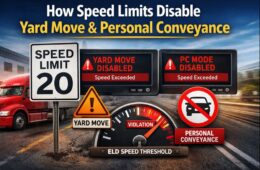
- Use Yard Move or Personal Conveyance only when permitted
- Monitor ELD alerts and notifications
- Add clear, factual annotations when needed
- Implement a compliant ELD solution such as ELD Nexus
Once driving time is recorded, documentation—not deletion—is the appropriate response.
Conclusion
Driving time is locked in ELDs because FMCSA regulations require HOS records to be accurate, automatic, and resistant to manipulation. Immutable logs are essential to maintaining the integrity of ELD data and ensuring fair, enforceable compliance across the industry.
Understanding these requirements—and using a fully compliant system like ELD Nexus—helps drivers and fleets meet regulatory expectations with confidence.
Frequently Asked Questions (FAQs)
Why is driving time locked in ELDs?
FMCSA requires driving time to be immutable to prevent tampering and ensure accurate HOS records.
Can driving time ever be deleted?
No. Driving time cannot be deleted or shortened, only annotated.
What are immutable logs in ELDs?
Immutable logs are records that preserve original data and cannot be altered to hide or remove driving activity.
Can carriers edit driving time?
Carriers may propose edits, but original driving time remains preserved and visible.
What should drivers do if driving time is recorded in error?
Drivers should add a detailed annotation explaining the circumstances.
How does ELD Nexus ensure FMCSA compliance?
ELD Nexus enforces locked driving time, maintains audit trails, and supports compliant editing and annotation workflows.