Electronic Logging Devices (ELDs) are designed to remove guesswork from Hours of Service (HOS) compliance. Yet one of the most common questions professional drivers ask is:
“Why does my ELD control my driving time automatically?”
The answer lies in understanding the ECM meaning in ELD systems.
At ELD Nexus, we provide driver-centric support grounded in FMCSA regulations. As a result, we help drivers understand not only what the system records, but also why it records it. In turn, this knowledge empowers drivers to operate safely, remain compliant, and confidently handle roadside inspections.
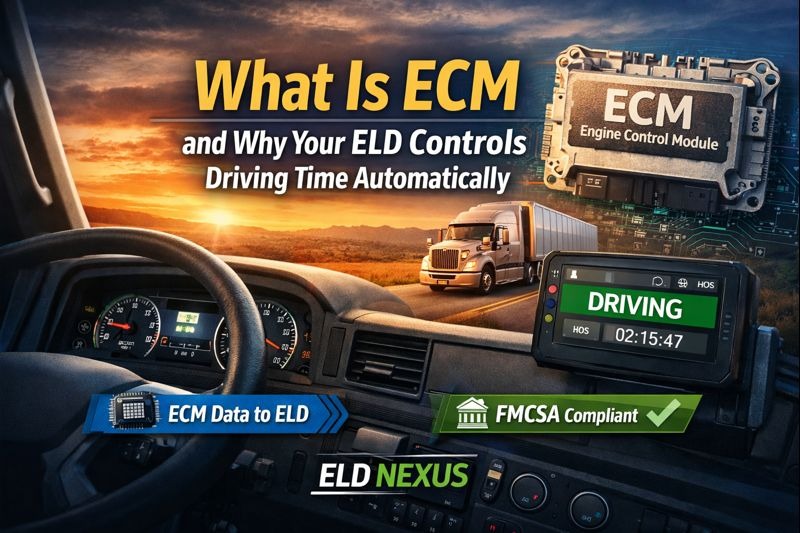
What Does ECM Mean in an ELD?
ECM stands for Engine Control Module.
The engine control module is the vehicle’s primary onboard computer. It manages and records essential engine and vehicle data, including:
- Vehicle speed
- Engine power status (on/off)
- Engine hours
- Odometer and mileage
- Vehicle Identification Number (VIN)
When an ELD is installed, it is required by FMCSA regulation (49 CFR §395.26) to connect directly to the ECM. This connection allows the ELD to automatically capture accurate, tamper-resistant driving data.
In regulatory terms:
The ECM is the authoritative source of driving activity for ELDs.
Why ELDs Automatically Record Driving Time
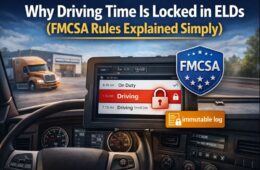
Under FMCSA ELD regulations, driving time must be record automatically, not manually, to ensure accuracy and prevent log falsification.
Here is how ECM-based recording works in practice:
- The ECM detects vehicle movement (typically at or above 5 mph)
- The ELD automatically switches the driver’s status to Driving
- The recorded driving time becomes locked and non-editable
This process is mandatory and standardized across compliant ELD systems.
Regulatory purpose:
Automatic ECM recording protects drivers and carriers by ensuring logs are consistent, objective, and defensible during audits or roadside inspections.
Why ECM Driving Time Cannot Be Edited
Another frequent concern drivers raise is why ECM driving time cannot be changed.
From a compliance standpoint:
- ECM driving data is considered high-integrity data
- FMCSA prohibits altering or deleting ECM-generated driving events
- Allowing edits would undermine compliance enforcement
What drivers can do:
- Add annotations explaining circumstances
- Correct non-driving duty statuses
- Accept or reject administrative edit requests
What drivers cannot do:
- Modify, shorten, or remove ECM driving time
At ELD Nexus, our support team focuses on helping drivers properly document and explain events rather than attempting prohibited edits.
ECM vs GPS: Understanding the Difference
A common misconception is that ELDs rely on GPS to determine driving status. In reality, GPS does not control driving time.
| ECM | GPS |
|---|---|
| Determines driving status | Records vehicle location |
| Required by FMCSA | Supplementary data |
| Speed-based, engine-driven | Signal-based |
| Legally authoritative | Informational only |
Even if GPS data appears inaccurate, ECM data remains the controlling factor for HOS compliance.
Real-World Driver Scenarios Explained
Understanding ECM behavior helps clarify many common situations drivers experience:
“My ELD says I was driving while parked”
- ECM detected vehicle movement
- Idle creep, rolling, or repositioning occurred
- ELD is required to log the event
“I only moved the truck in the yard”
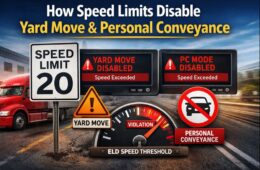
- Yard Move was not enabled
- Speed exceeded Yard Move limits
- ECM triggered standard driving status
“I wasn’t logged in”
- ECM still recorded vehicle movement
- Driving was logged as Unassigned Driving
- Requires proper reassignment and annotation
These scenarios are not system errors — they are regulatory safeguards.
Driver-Centric Support at ELD Nexus
At ELD Nexus, our approach to compliance support is built on experience and education.
We support drivers by:
- Explaining ECM and ELD behavior clearly
- Reviewing logs with drivers step by step
- Ensuring annotations meet FMCSA expectations
- Helping prevent repeat issues through guidance
- Maintaining strict compliance with federal regulations
Our priority is driver safety, clarity, and confidence, not just technical resolution.
What FMCSA Expects During a Roadside Inspection
During inspections, enforcement officers rely on:
- ECM-sourced driving records
- Accurate timestamps and duty statuses
- Clear annotations instead of altered data
- ELD compliance with current and previous 7 days’ logs
Drivers who understand ECM-based logging are better equipped to communicate effectively and professionally during inspections.
Key Takeaway for Professional Drivers
“The ECM is the truck’s computer. When it records movement, the ELD must log driving automatically. This protects you, your carrier, and public safety.”
Conclusion
Understanding the ECM meaning in ELD systems is essential for today’s professional driver. Rather than being designed to penalize drivers, automatic driving time recording exists to ensure fairness, accuracy, and safety across the industry.
Moreover, at ELD Nexus, we combine regulatory expertise, real-world experience, and driver-focused support to help drivers stay compliant without confusion or unnecessary stress.
When you understand the technology behind your ELD, you gain control through knowledge — and that’s what safe, compliant driving starts with.
Frequently Asked Questions (FAQs)
What is the ECM meaning in ELD systems?
In ELD systems, ECM (Engine Control Module) refers to the truck’s onboard computer that records engine-related data such as speed, engine hours, mileage, and power status.
Under FMCSA regulations, the ELD must use ECM data to automatically determine and record driving time.Why does my ELD automatically switch me to Driving?
Your ELD switches to Driving automatically when the ECM detects vehicle movement, typically at or above 5 mph.
This process is required by FMCSA to ensure driving time is recorded accurately and cannot be influenced by manual input.Can ECM driving time be edited or deleted?
No. ECM driving time cannot be edited, shortened, or deleted.
FMCSA rules require ECM-sourced driving events to remain immutable. Drivers may only add annotations to explain circumstances, but the driving time itself must remain unchanged.Is ECM driving time based on GPS?
No. ECM driving time is not based on GPS.
The ECM uses engine and speed data, while GPS is used only to record location. Even if GPS data appears inaccurate, ECM data still controls driving status.Why does my ELD show driving when I was parked?
This usually occurs when the ECM detects slight vehicle movement, such as:
Idle creep
Rolling on an incline
Repositioning the truck*
When the ECM reports movement, the ELD is required to log driving, even if the movement was brief or unintentional.What happens if the truck moves and I’m not logged in?
If the ECM detects movement while no driver is logged in, the ELD records the activity as Unassigned Driving.
The driving event must later be claimed by the correct driver or assigned by the carrier, along with proper annotations.Does starting the engine affect my logs?
Starting the engine itself does not always create driving time, but it can interrupt off-duty periods (such as a 34-hour restart) and may trigger on-duty or diagnostic events depending on system behavior.
Drivers should avoid engine activity during required off-duty periods unless necessary.Why does Yard Move sometimes switch back to Driving?
Yard Move can automatically disable and switch to Driving if:
The vehicle exceeds the allowed Yard Move speed
The feature is not enabled by the carrier
ECM detects standard road-speed movement
This is a compliance safeguard built into ELD systems.How does ECM data protect drivers during inspections?
ECM data provides objective, verifiable records that DOT officers trust during inspections.
Because ECM driving time cannot be altered, it helps protect drivers and carriers from accusations of log falsification.How does ELD Nexus help drivers with ECM-related issues?
At ELD Nexus, we provide driver-centric, FMCSA-compliant support by:
Explaining ECM events in plain language
Reviewing logs and driving events step by step
Helping drivers annotate logs correctly
Preparing drivers for DOT inspections
Preventing repeat issues through education
Our goal is to help drivers drive safely, confidently, and compliantly.What should I tell a DOT officer if they ask about ECM driving time?
A clear and professional explanation is best:
“Driving time is recorded automatically by the ECM and cannot be edited. Any notes or explanations are added as annotations per FMCSA rules.”
This demonstrates awareness of compliance and builds credibility during inspections.