In today’s highly regulated trucking environment, compliance is not optional—it’s essential. One of the most common questions drivers and fleet managers ask is why they can’t edit driving time in an ELD. The short answer lies in how modern Electronic Logging Devices (ELDs) interact with the vehicle’s Engine Control Module (ECM).
In this blog, we’ll break down ECM triggered driving, explain why locked driving time exists, clarify the rules around ELD edits, and show how ELD Nexus takes a driver-centric approach that prioritizes compliance and driver well-being.
What Does “Edit Driving Time ELD” Really Mean?
When drivers hear “edit driving time ELD,” they often assume it works like editing other duty statuses such as On-Duty or Sleeper Berth. However, driving time is fundamentally different.
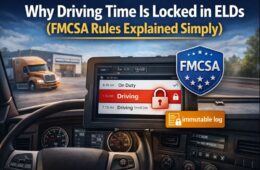
Under FMCSA regulations, the ELD automatically records driving time and does not allow drivers or fleets to shorten, alter, or delete it. The system generates this driving time directly from real vehicle data, not from driver self-reporting.
The purpose of this restriction is simple:
✔ Prevent falsification
✔ Ensure accurate Hours of Service (HOS) records
✔ Protect driver and public safety
Understanding ECM-Triggered Driving
What Is ECM Triggered Driving?
ECM triggered driving occurs when the ELD receives signals directly from the vehicle’s Engine Control Module. These signals include:
- Vehicle speed
- Engine RPM
- Engine power status
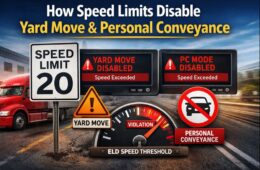
- Vehicle movement (typically above 5 mph)
Once the ECM detects motion above the threshold, the ELD automatically switches the driver into Driving status—no manual input required.
This automation removes guesswork and ensures accuracy, but it also means the system—not the driver—controls driving time entries.
Why Driving Time Becomes Locked
What Is Locked Driving Time?
Locked driving time refers to driving events that cannot be edited once recorded. According to FMCSA rules:
- Driving time cannot be reduced
- Driving segments cannot be deleted
- Start and end times cannot be modified
You may add annotations or request edits for clarity, but the original driving record remains intact.
This is why attempts to edit driving time ELD entries are denied by compliant systems like ELD Nexus.
What ELD Edits Are Actually Allowed?
While driving time is locked, other types of ELD edits are permitted:
Editable Entries:
- On-Duty (Not Driving)
- Off-Duty
- Sleeper Berth
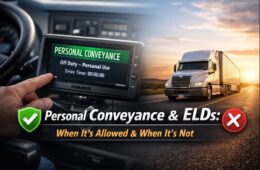
- Personal Conveyance (when eligible)
- Yard Moves (when enabled)
Allowed Actions:
- Add annotations
- Suggest corrections for non-driving statuses
- Fleet managers can propose edits (driver must approve)
This balance ensures compliance while still giving drivers a voice in their logs.
Why These Rules Exist (And Why They Matter)
The inability to edit driving time is not meant to punish drivers—it’s designed to:
- Reduce fatigue-related accidents
- Prevent coercion or log manipulation
- Create a fair, standardized compliance system
- Protect drivers during audits and inspections
Accurate ECM-based data can actually defend drivers when disputes arise.
ELD Nexus: Compliance With a Driver-Centric Approach
At ELD Nexus, compliance is only part of the equation. Our approach is always driver-centric, with a strong focus on driver well-being, clarity, and fairness.
How ELD Nexus Supports Drivers:
- Clear explanations when driving time is locked
- Easy-to-use annotation tools so drivers can tell their side of the story
- Transparent edit workflows—no hidden changes
- Education-first design to reduce confusion and stress
- Accurate ECM integration to protect drivers during audits
We believe drivers should never feel powerless in the compliance process. That’s why ELD Nexus actively helps drivers understand why actions like editing driving time in an ELD aren’t allowed, while still providing the tools they need to document legitimate concerns.
Common Driver Scenarios Explained
“I was creeping in traffic—why is it driving?”
If the vehicle exceeds the ECM speed threshold, the ELD must log driving time.
“I moved the truck by mistake—can I delete it?”
No, but you can annotate the event to explain the situation.
“My dispatcher wants me to change it.”
Driving time cannot be altered, protecting you from improper requests.
Final Thoughts
If you’ve ever tried to edit driving time ELD entries and felt frustrated, you’re not alone. But understanding ECM triggered driving, locked driving time, and permissible ELD edits helps remove confusion and builds trust in the system.
With ELD Nexus, compliance doesn’t come at the expense of drivers. Our driver-centric philosophy ensures that technology works with drivers—not against them—supporting safer roads, healthier drivers, and stress-free compliance.
Frequently Asked Questions (FAQs)
Why can’t I edit driving time in my ELD?
You can’t edit driving time in an ELD because it is automatically recorded through ECM triggered driving. Once the Engine Control Module detects vehicle movement above the regulated speed threshold, the ELD is required by FMCSA regulations to log that time as driving—and lock it. This prevents log manipulation and ensures accurate Hours of Service compliance.
What does ECM-triggered driving mean?
ECM triggered driving means the ELD is receiving real-time data directly from the truck’s Engine Control Module. When the engine is powered and the vehicle moves, the ELD automatically switches the duty status to Driving. This process removes human error and ensures compliance, but it also means the driver cannot manually override or shorten that driving time.
What is locked driving time?
Locked driving time refers to driving events that cannot be deleted, reduced, or edited once recorded. While drivers can add annotations or explanations, the original driving record must remain unchanged. This protects both drivers and carriers during inspections and audits.
Are any ELD edits allowed at all?
Yes. While driving time is locked, many other ELD edits are allowed, including:
On-Duty (Not Driving)
Off-Duty
Sleeper Berth
Personal Conveyance (when permitted)
Yard Moves (when enabled)
Drivers can also approve or reject edits suggested by fleet managers, maintaining control over their records.Can a dispatcher or fleet manager edit my driving time?
No. Neither drivers nor fleet managers can edit locked driving time. This rule exists to prevent coercion and protect drivers from being pressured into falsifying logs. At ELD Nexus, transparency and driver protection are core principles of our driver-centric approach.
What should I do if driving time was recorded by mistake?
If driving time was recorded unintentionally—such as moving the truck a short distance—you should:
Add a detailed annotation explaining the situation
Ensure the rest of your log is accurate
Annotations don’t change the driving time, but they provide important context during audits or roadside inspections.Why does driving time sometimes start sooner than expected?
Driving time may begin as soon as the vehicle exceeds the ECM movement threshold, even at low speeds. Situations like traffic congestion, parking lot movement, or yard exits can trigger ECM triggered driving. Understanding this behavior helps drivers anticipate when their logs will change automatically.
How does ELD Nexus support drivers with locked driving time?
ELD Nexus is built with a driver-centric philosophy, prioritizing driver well-being and clarity. We support drivers by:
Clearly explaining why driving time is locked
Making annotations simple and accessible
Providing transparent edit workflows
Educating drivers so compliance reduces stress instead of creating it
Our goal is to ensure drivers feel informed, protected, and respected—never confused or powerless.Does locked driving time protect drivers during audits?
Absolutely. Because locked driving time is generated directly from ECM data, it provides a reliable and defensible record. This can help drivers avoid violations, defend against false claims, and demonstrate compliance during inspections.
Is there any situation where driving time can be removed?
No. Under FMCSA regulations, driving time cannot be removed once recorded. However, accurate annotations and proper use of non-driving statuses can ensure logs reflect the full context of a driver’s day.