If you’ve ever checked your ELD and noticed extra drive time suddenly reappear after taking a sleeper berth break, you’re not alone. Many drivers are confused by how the split sleeper berth rule works—and why it feels like the ELD is “giving back” hours.
The truth is, this isn’t a glitch or bonus time. It’s a legal and powerful Hours of Service (HOS) provision that, when used correctly, can help drivers stay productive and compliant. In this guide, we’ll clearly explain how the ELD split sleeper option works, how it affects your sleeper berth hours, and how systems like ELD Nexus track it accurately.
What Is the Split Sleeper Berth Rule?
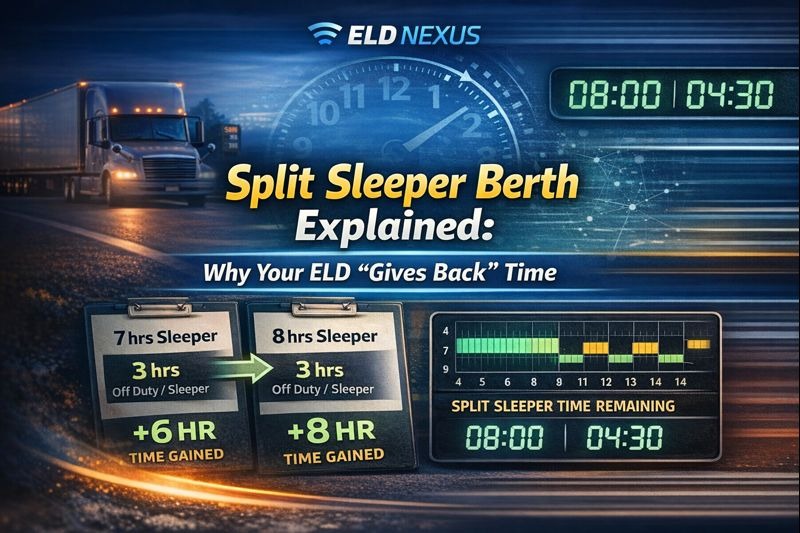
The split sleeper berth rule allows drivers to divide their required 10-hour off-duty break into two qualifying rest periods instead of taking all 10 hours at once.
Under FMCSA regulations, drivers may split their sleeper berth time as long as they follow one of these combinations:
- 8 hours in the sleeper berth + 2 hours off-duty or sleeper
- 7 hours in the sleeper berth + 3 hours off-duty or sleeper
These two periods together equal the required 10 hours—but they function very differently from a standard reset.
Why Does the ELD “Give Back” Time?
When using the ELD split sleeper option, your available drive and on-duty time are recalculated based on your last qualifying rest period—not your last 10 consecutive hours off duty.
What’s really happening:
- One qualifying rest period pauses the 14-hour clock
- The second qualifying rest period resets the calculation window
- Your ELD re-evaluates available hours based on the split
This recalculation often results in drivers seeing additional available time, which feels like time is being “given back.”
It’s not extra time—it’s time you never legally lost.
How Sleeper Berth Hours Affect the 14-Hour Clock
The biggest benefit of the split sleeper berth rule is its impact on the 14-hour duty window.
Key rule:
The qualifying sleeper berth period does NOT count against the 14-hour clock.
That means:
- Time spent in a valid sleeper berth break pauses the clock
- You regain usable driving time after the second qualifying break
- Your ELD recalculates available hours dynamically
This is why understanding sleeper berth hours is critical for trip planning.
Split Sleeper vs Standard 10-Hour Break
| Feature | Split Sleeper Berth | Standard 10-Hour Break |
|---|---|---|
| Break structure | 7/3 or 8/2 split | 10 consecutive hours |
| 14-hour clock pause | Yes | No |
| Flexibility | High | Low |
| ELD recalculation | Yes | Simple reset |
| Planning complexity | Moderate | Low |
Drivers running irregular schedules or facing detention delays often benefit the most from split sleeper usage.
How ELD Nexus Handles Split Sleeper Accurately
Split sleeper calculations are complex—and manual tracking almost always leads to violations.
ELD Nexus automatically:
- Detects qualifying sleeper berth periods
- Applies correct split sleeper logic
- Recalculates available drive and on-duty hours in real time
- Displays remaining time clearly after each split
With ELD Nexus, drivers don’t have to guess whether a break qualifies—the system does the math for you.
Common Mistakes Drivers Make with Split Sleeper
- Thinking off-duty time always qualifies
Only specific combinations meet the rule. - Using sleeper time under 7 hours
This will NOT pause the 14-hour clock. - Mixing split sleeper with a 34-hour reset
These operate independently and can cause confusion. - Misreading ELD recalculations
ELDs like ELD Nexus help prevent misunderstandings by clearly labeling split periods.
Best Practices for Using the Split Sleeper Berth Rule
- Plan split breaks before starting your shift
- Communicate split usage with dispatch
- Always confirm sleeper berth duration meets minimum requirements
- Monitor recalculated hours after each qualifying break
- Use ELD forecasting tools to avoid violations
Final Thoughts
The split sleeper berth rule is one of the most misunderstood HOS provisions—but when used correctly, it’s a powerful compliance and productivity tool. The reason your ELD appears to “give back” time is simple: the clock was paused, not reset.
With the right planning and a reliable platform like ELD Nexus, drivers can confidently use ELD split sleeper functionality to stay compliant, flexible, and efficient on the road.
Frequently Asked Questions (FAQs)
What is the split sleeper berth rule?
The split sleeper berth rule allows drivers to divide the 10-hour off-duty requirement into two qualifying rest periods (7/3 or 8/2).
Why does my ELD show more time after a sleeper break?
Your ELD recalculates available hours because qualifying sleeper berth time pauses the 14-hour clock.
Does off-duty time count as sleeper berth time?
Only the shorter portion of the split may be off-duty. The longer portion must be spent in the sleeper berth.
Can I use split sleeper every day?
Yes, as long as each split meets FMCSA requirements and you remain compliant with HOS limits.
Does split sleeper affect recap hours?
No. The split sleeper berth rule impacts the 14-hour clock, while recap hours affect the 60/70-hour cycle.
How do I know if my split qualifies?
An ELD system like ELD Nexus automatically determines whether your sleeper berth hours qualify under the rule.