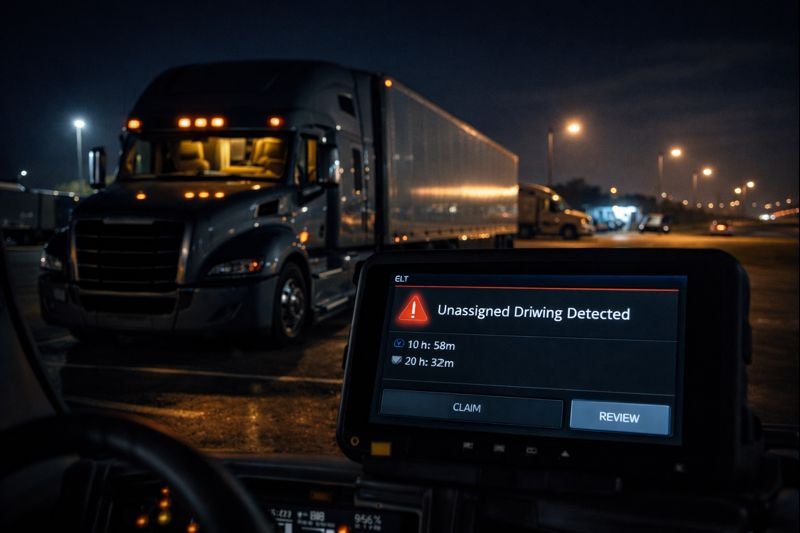
Unassigned driving is one of the most frequent issues flagged in electronic logging device (ELD) systems—and one of the easiest ways for carriers to fall out of compliance if it’s not handled correctly. Whether caused by a simple login mistake or a system configuration issue, unassigned driving ELD records demand immediate attention.
In this guide, we’ll explain what unassigned driving is, why it happens, how to properly claim unassigned driving, and how to prevent unassigned miles—with best practices aligned to modern ELD platforms like ELD Nexus.
What Is Unassigned Driving in an ELD?
Unassigned driving occurs when a commercial motor vehicle records driving time, but that activity is not associated with an authenticated driver profile in the ELD system.
In ELD platforms such as ELD Nexus, these movements are automatically logged as unassigned miles and placed in a review queue for the carrier. Federal regulations require that all driving time be attributed to a driver or properly annotated—unassigned driving cannot be ignored.
Common Causes of Unassigned Driving
Understanding why unassigned driving occurs is critical to resolving it properly and preventing repeat issues.
1. Driver Not Logged In
The most common cause. If a vehicle is moved before the driver logs into ELD Nexus, the system records the movement as unassigned.
2. Driver Switchovers
In slip-seat or team operations, unassigned miles can occur when:
- One driver forgets to log out
- The next driver delays logging in
- The vehicle moves during the transition
3. Yard Move or Personal Conveyance Errors
Incorrect configuration or misuse of yard move or personal conveyance modes can trigger unassigned driving events.
4. ELD Connectivity or Hardware Issues
Temporary GPS signal loss, power interruptions, or device syncing issues may prevent the ELD from associating movement with a driver.
5. Maintenance or Shop Movement
Vehicle testing, repairs, or repositioning by non-drivers may generate unassigned miles that must be explained by the carrier.
Why Unassigned Miles Are a Compliance Risk
Unassigned miles themselves are not automatic violations—but failing to address them is.
During roadside inspections or DOT audits, inspectors will review:
- The frequency of unassigned driving
- How quickly events are reviewed
- Whether records are properly assigned or annotated
- Carrier procedures for managing unassigned driving
Excessive unresolved unassigned driving in ELD Nexus or any ELD system can result in:
- Logbook violations
- CSA score impacts
- Audit findings
- Increased scrutiny from enforcement agencies
How to Claim Unassigned Driving Correctly
If the unassigned driving belongs to you, it must be claimed promptly and accurately.
Steps to Claim Unassigned Driving in ELD Nexus
- Log into your ELD Nexus account
- Navigate to unassigned driving events
- Review date, time, and location details
- Accept and assign the driving to your log
- Add clear remarks explaining why it was unassigned
- Certify the corrected log
Once claimed, the driving time becomes part of your official Hours of Service record.
When You Should NOT Claim Unassigned Driving
Drivers should never claim unassigned driving if:
- They were not operating the vehicle
- The movement occurred during maintenance or testing
- Another driver was responsible
- The vehicle was moved by yard personnel or mechanics
In these cases, the carrier must annotate the record in ELD Nexus to explain why the miles remain unassigned.
Carrier Responsibilities for Unassigned Driving
Under FMCSA regulations, carriers—not just drivers—are responsible for managing unassigned driving.
Carriers must:
- Review unassigned miles regularly
- Assign or annotate records promptly
- Train drivers on proper ELD login procedures
- Maintain documentation for audits
ELD Nexus provides carrier dashboards and alerts to help safety teams stay on top of unassigned driving events before they become violations.
Best Practices to Prevent Unassigned Driving
Prevention is the most effective compliance strategy.
Driver Best Practices
- Log into ELD Nexus before moving the vehicle
- Confirm driver status after switching trucks
- Avoid moving the truck during login/logout transitions
- Verify yard move and personal conveyance settings
Carrier Best Practices
- Conduct ELD training during onboarding
- Review unassigned driving daily or weekly
- Assign responsibility for log review
- Use ELD Nexus alerts and reporting tools
Final Thoughts
Unassigned driving is common—but unmanaged unassigned driving is costly. By understanding how unassigned driving ELD events occur, knowing how to claim unassigned driving properly, and leveraging tools like ELD Nexus, carriers and drivers can maintain compliance, reduce audit risk, and operate with confidence.
Frequently Asked Questions (FAQs)
What are unassigned miles in an ELD?
Unassigned miles are recorded when a vehicle moves but no driver is logged into the ELD system. These miles must be reviewed and either assigned to a driver or annotated by the carrier.
Is unassigned driving a violation?
Unassigned driving itself is not automatically a violation. However, failing to review, assign, or explain unassigned driving can lead to logbook violations during inspections or audits.
How quickly should unassigned driving be addressed?
Unassigned driving should be reviewed and resolved as soon as possible. Best practice is daily or weekly review to remain compliant.
Can drivers delete unassigned driving in ELD Nexus?
No. Drivers cannot delete unassigned driving. They can only claim it if it belongs to them, or the carrier must annotate it appropriately.
Who is responsible for unassigned driving—driver or carrier?
Both share responsibility. Drivers must log in correctly, while carriers are responsible for monitoring, reviewing, and resolving unassigned miles.
How does ELD Nexus help manage unassigned driving?
ELD Nexus provides alerts, reporting tools, and audit-friendly logs that allow carriers to track, assign, and annotate unassigned driving efficiently and in compliance with FMCSA requirements.