Few things frustrate drivers more than correctly selecting yard move, only to discover later that the ELD switched the status back to driving. This issue is extremely common and often misunderstood. When it happens, it can lead to inaccurate logs, lost hours, and potential compliance risks.
In this guide, we’ll clearly explain yard move vs driving, why an ELD switches yard move to driving, and how to stay compliant with yard move rules using modern ELD systems.
What Is Yard Move in an ELD?
Yard move is a special ELD status that allows a driver to move a commercial vehicle within a yard, terminal, port, warehouse, or similar facility without recording the movement as driving time.
When properly used, yard move:
- Does not count against driving time
- Helps maintain accurate Hours of Service logs
- Is permitted only under specific conditions
ELD platforms allow yard move only when certain criteria are met, and misuse can automatically trigger a switch to driving.
Yard Move vs Driving: Key Differences
Understanding the difference is essential to staying compliant.
Yard Move
- Occurs on private property
- Typically inside terminals, ports, distribution centers, or yards
- Limited speed and distance
- Must be manually enabled in the ELD
- Ends automatically if conditions are violated
Driving
- Occurs on public roads
- Counts toward driving and on-duty limits
- Automatically recorded by the ELD
- Cannot be overridden once triggered
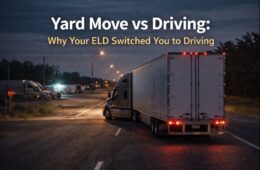
If the ELD detects behavior that violates yard move rules, it will switch the status to driving automatically.
Why Your ELD Switched Yard Move to Driving
If your yard move ELD status switched unexpectedly, one of these reasons is usually responsible:
1. Vehicle Speed Exceeded Yard Move Limits
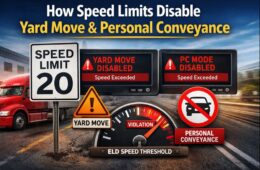
Most ELDs automatically exit yard move if the truck exceeds a preset speed (often around 20 mph). Even brief acceleration can trigger the switch.
2. Entering a Public Road
The moment a truck leaves private property and enters a public roadway, the ELD must switch from yard move to driving—no exceptions.
3. Yard Move Was Not Properly Enabled
If yard move wasn’t manually selected before movement, the ELD records the activity as driving by default.
4. GPS Boundary Detection
Some ELD systems use geofencing. If GPS data indicates the truck left a designated yard area, the system automatically switches to driving.
5. Inactivity Timeout or System Safeguards
ELDs may exit yard move after a set time or when certain system thresholds are met to prevent misuse.
Understanding Yard Move Rules
Yard move is allowed—but strictly regulated.
Key Yard Move Rules
- Must occur only on private property
- Cannot be used on public roads
- Must be manually selected by the driver
- Automatically ends if speed or location rules are violated
- Subject to review during inspections and audits
Improper use of yard move can result in:
- Log violations
- Reclassification of time as driving
- Increased scrutiny during DOT inspections
What Happens After Yard Move Switches to Driving?
Once the ELD switches yard move to driving:
- The driving time is locked in
- It counts toward your Hours of Service
- It cannot be edited or reclassified as yard move
This is why understanding and following yard move rules is critical.
Best Practices to Avoid Yard Move Switching to Driving
For Drivers
- Activate yard move before moving the vehicle
- Stay well below speed thresholds
- Confirm you’re fully inside private property
- Disable yard move before entering public roads
- Monitor your ELD screen during movement
For Carriers
- Train drivers on yard move rules during onboarding
- Configure ELD settings correctly
- Review logs regularly for yard move misuse
- Address repeat issues proactively
Final Thoughts
Yard move is a helpful ELD feature—but it’s tightly controlled. If your yard move switched to driving, it’s usually because the ELD detected a rule violation related to speed, location, or configuration.
Understanding yard move vs driving, following yard move rules, and using your ELD correctly will help you maintain clean logs, avoid violations, and stay compliant.
Frequently Asked Questions (FAQs)
What is yard move in an ELD?
Yard move allows vehicle movement on private property without recording driving time, as long as specific rules are followed.
Why did my yard move switch to driving?
Common reasons include exceeding speed limits, entering public roads, GPS boundary detection, or failing to enable yard move correctly.
Can yard move time be changed back from driving?
No. Once the ELD records time as driving, it cannot be edited or converted back to yard move.
Is yard move allowed at ports and rail yards?
Yes, as long as the area is private property and yard move rules are followed.
Does yard move count toward my 14-hour clock?
Yes. Yard move is considered on-duty time and counts toward the 14-hour limit, even though it does not count as driving time.
Can DOT inspectors see yard move activity?
Yes. Yard move events are visible during inspections and audits, and improper use can lead to violations.